
Cable Management Ideas for a Cleaner Home Office
A practical cable-management guide for routing power, charging and data cables around a compact desk without creating floor hazards, crushed cords or an impossible-to-maintain bundle.
Cable management is not hiding every wire. It is giving each wire a safe route, enough slack and an obvious destination so the desk can be cleaned, moved and maintained.
Part of the By Sady guide Small Home Office Layout & Setup Guide for Compact Rooms →
What matters most
- 01
Map power and device locations before buying sleeves or trays.
- 02
Keep extension cords temporary and properly rated.
- 03
Route cables away from walkways, chair wheels and pinch points.
- 04
Separate the power strip, adapters and loose charging leads into defined zones.
- 05
Leave enough service slack that equipment can move without pulling connectors.
Map the cable system before hiding it
List every powered device and where it connects: monitor, laptop charger, lamp, phone charger, speakers, printer and any accessories. Then identify which connections are permanent and which are unplugged often.
This map prevents the common mistake of bundling everything together and later discovering that one charger needs to move every day.
| Cable type | Best starting treatment | Why |
|---|---|---|
| Permanent power / display | Fixed, inspectable route behind or under the desk | Reduces loose cable movement while keeping maintenance possible |
| Daily charging lead | Reachable clip, dock or drawer edge | Needs to move without opening the permanent bundle |
| Occasional accessory | Stored disconnected and labelled if necessary | Avoids dead cables living permanently on the desk |
| Temporary extension cord | Use only as a temporary rated solution | ESFI advises extension cords are not a long-term substitute for household wiring |
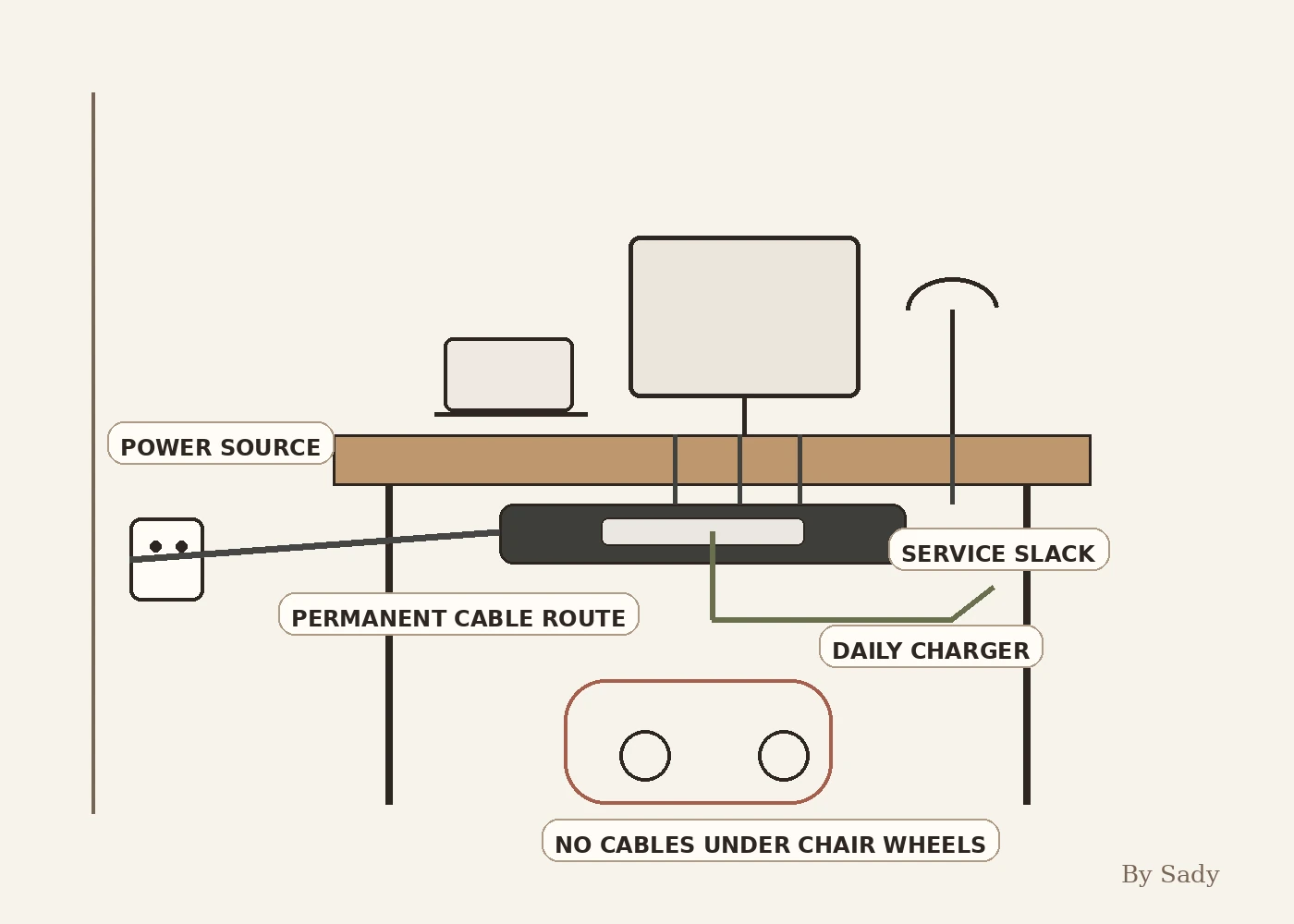
Place the power source first
The cleanest cable route starts from a realistic power location. If the wall outlet is far from the desk, do not plan the entire setup around a permanent extension cord hidden under a rug or behind furniture.
ESFI states that extension cords are intended as temporary solutions and advises keeping them out of high-traffic areas. If the office needs permanent power where none exists, consider a proper electrical solution rather than a decorative workaround.
Mount or contain the power strip where appropriate
A securely positioned power strip can keep adapters and plugs off the floor, but use only a product designed for the intended setup and follow its mounting instructions. Leave ventilation and access where required.
Do not make the power strip impossible to reach. You should be able to inspect plugs, disconnect equipment and replace a damaged cable without dismantling the desk.
Separate permanent cables from daily chargers
Monitor, desktop and lamp cables may stay connected for months. Phone and accessory chargers may move every day. Treat those as different systems.
Permanent cables can run through a tray or sleeve. Daily chargers work better with clips, a small dock or one reachable drawer so they do not disappear behind the desk.
Protect cables from chair wheels
The chair zone is one of the worst places for loose cables because rolling pressure and repeated contact can damage insulation and pull connectors. Route cables behind the desk, along a wall or through a raised tray whenever possible.
If a cable must cross a floor temporarily, use an appropriate protective solution and remove it when the temporary need ends.
Avoid pinch points
Do not trap cords under heavy furniture, in doors or against moving desk parts. ESFI specifically warns against pinching cords because damage to insulation can create electrical hazards.
Adjustable desks need extra attention. Leave a controlled service loop so the desk can move through its full range without stretching or crushing the cable.
Use labels only where they save time
Label the ends of similar black cables, unusual adapters or devices that are hard to trace. There is little value in labeling a cable that is already obvious from its path.
A small tag near the power strip can make maintenance easier without turning the setup into an inventory project.
Keep data and charging routes understandable
Ethernet, audio and USB cables can usually share a visual route without being twisted into one permanent knot. Use reusable ties or sleeves that can open again when equipment changes.
Avoid overly tight bends and do not force connectors to carry the weight of a hanging cable bundle.
Make cleaning possible
Cable trays and sleeves should reduce the number of loose wires that collect dust, but the floor and desk still need to be accessible. A setup that looks clean but cannot be vacuumed behind is not finished.
Choose removable ties and reachable trays so the cable system can be opened, cleaned and rebuilt when hardware changes.
Do not confuse hidden with safe
Running a cord under a rug or burying adapters inside an unventilated box can make the room look better while creating a worse electrical setup. Safety and manufacturer instructions come first.
If you are unsure whether a power product or routing method is suitable, use a qualified electrician or follow the equipment manufacturer’s guidance.
Cable-management checklist
Every cable should have a route, enough slack and a reason to be there. Remove dead chargers and redundant leads before buying more cable-management accessories.
A good system is easy to inspect, easy to clean and boring to maintain.
- Power source is appropriate for regular use.
- Extension cords are temporary and properly rated.
- No cords run through high-traffic routes.
- Chair wheels cannot roll over loose cables.
- Cords are not pinched by furniture or doors.
- Daily chargers remain reachable.
- Cable bundles can be reopened for maintenance.
Use the cable route alongside desk depth, lighting, storage and chair movement.
Read the guide →Keep the visual summary.
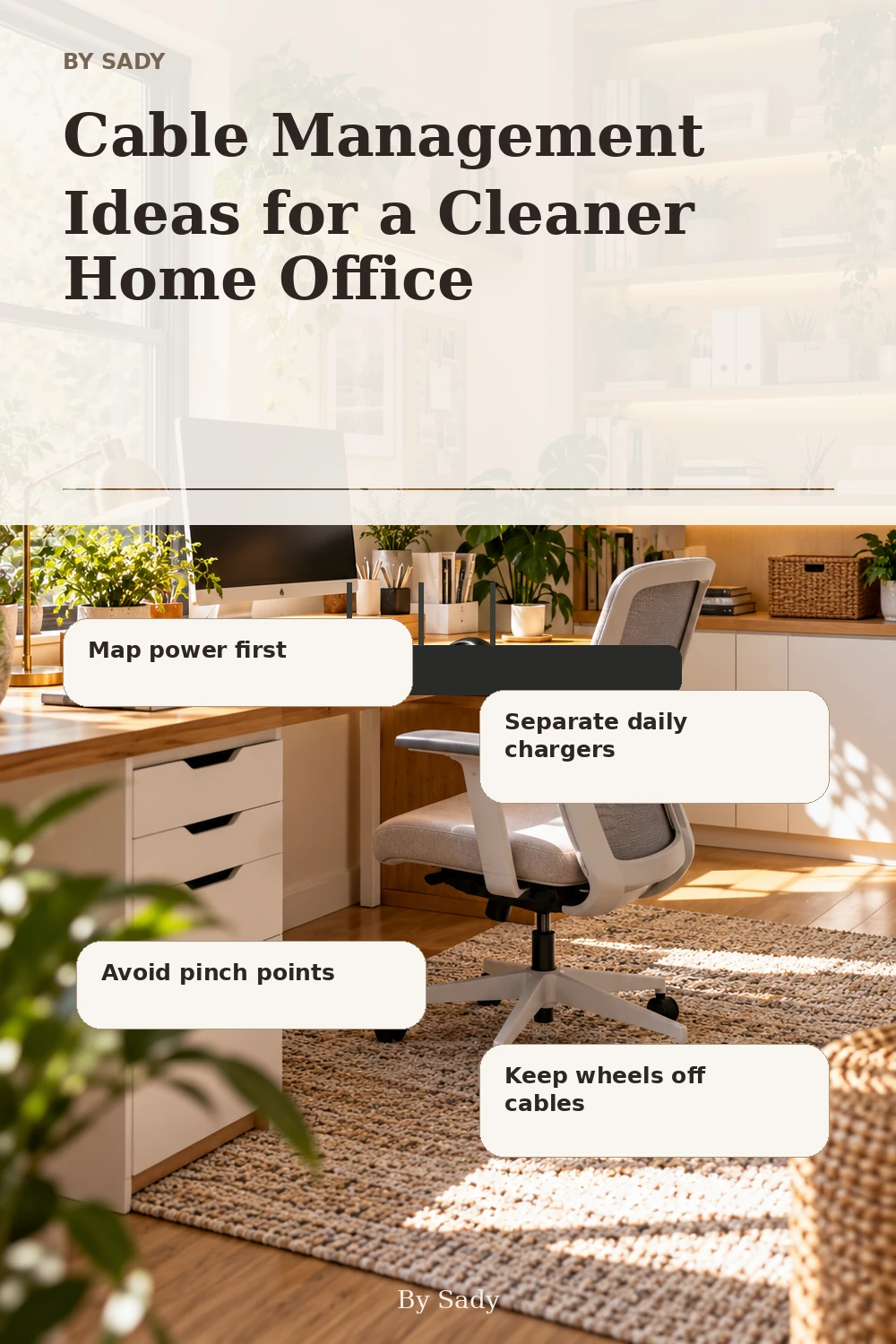
This is the condensed version of the guide, useful when you are planning, comparing options or returning to the key decisions later.
Where the measurable guidance comes from
By Sady's styling advice is editorial. Where this guide uses measurements or specific planning guidance, these are the references used. Always measure your own room and follow local electrical and building requirements.
- ESFI: Extension Cord Safety Tips
Electrical-safety reference for temporary use, ratings, damage and traffic routes.
- ESFI: Understanding Your Home Electrical System
Additional reference on avoiding pinched cords, damaged cords and long-term extension-cord use.
Relevant finds from this guide.
BAGSMART Travel Electronics and Cable Organizer
Zip-up accessory case with compartments and straps for charger cables and small electronics.
More from Home Office.

Small Home Office Layout & Setup Guide for Compact Rooms
A practical small-home-office guide for choosing the right work zone, desk footprint, chair clearance, lighting, storage and visual boundaries without letting work take over the room.

Desk Depth and Monitor Distance: Plan the Work Zone Before Buying
A measurement-first guide to desk depth, monitor distance, keyboard position and chair clearance so a compact workstation fits the user rather than forcing awkward posture.

Small Home Office Storage Ideas That Keep the Desk Clear
A room-level storage plan for compact home offices: keep the desktop focused on active work, then move files, supplies, paper, cables and occasional equipment into desk-adjacent, vertical and secondary zones.